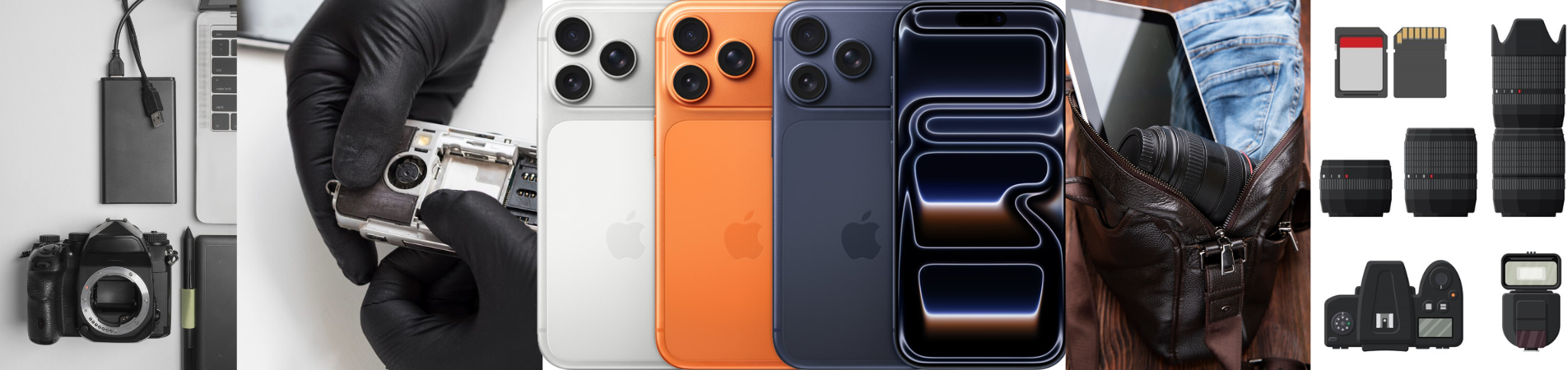
Whether you're backing up family photos, editing 4K videos, transferring large work files, or recording Apple ProRes footage, a reliable portable SSD has become one of the most useful accessories you can own. Modern devices generate more data than ever before, and internal storage often fills up quickly. Instead of constantly deleting files or paying for expensive storage upgrades, a portable SSD offers a fast, secure, and flexible solution.
Today's portable SSDs are more than simple external storage devices. They support high-speed file transfers, direct recording from compatible smartphones, cross-platform compatibility, and compact designs that fit easily into your pocket or camera bag.
However, not every portable SSD is built for the same purpose. Someone editing videos on an iPhone has different needs than a student storing coursework or a professional working across multiple devices. Choosing the right drive depends on your workflow, the devices you use, and the features that matter most to you.
This guide explains everything you need to know before buying a portable SSD while helping you determine which type is best suited for your iPhone, Mac, Windows PC, or multi-device setup.
Why Choose a Portable SSD Instead of an External Hard Drive?
Many people still use traditional external hard drives, but solid-state drives have become the preferred choice for modern users.
Unlike hard drives, SSDs have no moving mechanical parts. This allows them to deliver much faster speeds while also making them quieter, lighter, and more durable.
Here are some of the biggest advantages of choosing a portable SSD:
- Much faster file transfers
- Better durability against drops and vibration
- Compact and lightweight design
- Silent operation
- Lower power consumption
- Faster application and project loading
- Ideal for creators working with large media files
For professionals who regularly edit videos, manage photo libraries, or work with large design projects, the time saved during transfers can add up significantly.
Who Should Buy a Portable SSD?
Portable SSDs are useful for far more than photographers and video editors.
They provide valuable storage for many different types of users.
Students
Students often work with presentations, research projects, design software, and multimedia assignments. A portable SSD provides additional storage without slowing down their laptops.
Remote Workers
Professionals working from multiple locations can safely carry important files between office and home while maintaining fast access to documents.
Content Creators
Creators regularly record large videos, RAW photos, podcasts, and social media content that quickly consume internal storage.
Gamers
Modern games occupy hundreds of gigabytes. Portable SSDs provide extra space for storing game libraries and transferring installations between systems.
Business Professionals
Consultants, architects, engineers, and marketers often handle large project files that need secure portable storage.
Everyday Users
Even casual users benefit from safely backing up family photos, videos, financial documents, and personal files.
What to Look for When Buying a Portable SSD
Understanding the specifications will help you select the right drive for your needs.
Storage Capacity
The first decision is choosing the amount of storage.
Common capacities include:
Consider how you use your devices.
A student storing documents may only need 500GB or 1TB.
Photographers and content creators often benefit from 2TB or larger capacities because RAW images and 4K video files consume storage quickly.
It's generally better to purchase slightly more storage than you currently need, allowing room for future growth.
Transfer Speed
Speed is one of the main reasons people upgrade from hard drives.
Faster SSDs reduce waiting time when copying large folders or editing media directly from the drive.
Typical uses include:
- Moving hundreds of photos within minutes
- Editing 4K video without lag
- Faster software installation
- Quicker backups
- Improved workflow efficiency
If your work involves frequent transfers, investing in a high-speed portable SSD is worthwhile.
USB-C Connectivity
USB-C has become the standard connection for modern devices.
Many new laptops, tablets, and smartphones—including recent iPhones—support USB-C, allowing one portable SSD to work across multiple devices.
USB-C also supports higher transfer speeds compared to older USB standards.
Compatibility
Before purchasing a drive, verify that it works with your devices.
Many portable SSDs support:
- Windows PCs
- Mac computers
- iPads
- USB-C Android phones
- USB-C iPhones
- Cameras
- Gaming consoles
Cross-platform compatibility is especially important for users who switch between operating systems.
Durability
Portable drives travel frequently inside backpacks, camera bags, and laptop cases.
A quality SSD should offer:
- Shock resistance
- Durable aluminum construction
- Reliable heat management
- Compact travel-friendly design
Since SSDs contain no moving parts, they are generally much more resistant to accidental drops than traditional hard drives.
Choosing the Right Portable SSD for Your Workflow
Not every user has identical storage needs.
Let's examine the different workflows and the type of portable SSD that fits each one.
For Everyday Storage and Backups
Many users simply need reliable external storage for documents, photos, videos, and everyday backups.
If this sounds like your workflow, a standard portable SSD offers an excellent balance of portability, speed, and convenience.
Whether you're backing up important work documents or organizing your growing photo library, a dedicated portable SSD makes storage management much easier.
A standard portable SSD is ideal for:
- Students
- Families
- Office workers
- Home users
- Freelancers
- Everyday backups
It provides significantly faster performance than a traditional external hard drive while remaining compact enough to carry anywhere.
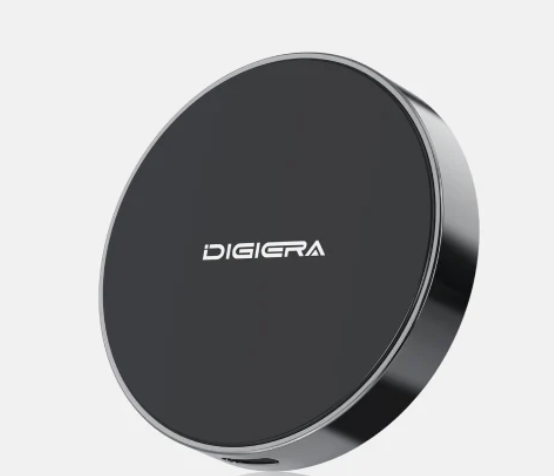
For users looking for dependable everyday storage, the Digiera Portable SSD is designed to deliver fast transfers, reliable performance, and wide compatibility across modern devices. Its compact form factor makes it an excellent choice for users who need portable storage without unnecessary complexity.
For iPhone Content Creators
Recent USB-C iPhones have transformed mobile content creation.
Creators can now record incredibly high-quality video directly to external storage instead of relying solely on internal memory.
This is especially useful for:
- Apple ProRes recording
- Long video sessions
- Travel vlogging
- Mobile filmmaking
- Social media production
- Interview recordings
Instead of worrying about running out of storage halfway through a shoot, creators can record directly onto an external SSD.
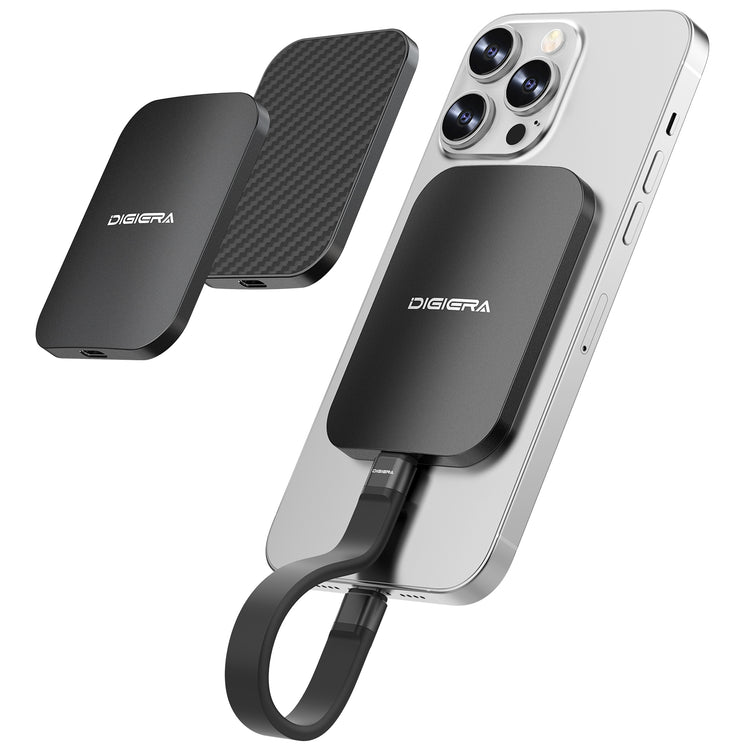
A MagSafe-compatible SSD makes this process even more convenient.
Rather than connecting a drive with loose cables hanging from the phone, a MagSafe SSD securely attaches to the back of a compatible iPhone, creating a cleaner and more portable recording setup.
The Digiera Ultra-Thin MagSafe Portable SSD is designed specifically for mobile creators who want a streamlined workflow. Its slim profile, magnetic attachment, and USB-C compatibility make it an excellent companion for creators producing high-resolution content directly from their iPhone.
This setup allows creators to spend less time managing storage and more time focusing on capturing high-quality content.
For Professionals Using Multiple Devices
Many professionals no longer work from a single computer. A typical day may involve switching between a MacBook at the office, a Windows desktop at home, an iPad during meetings, and an iPhone while traveling.
Managing files across several devices can become frustrating without the right storage solution. Constantly unplugging accessories or carrying multiple adapters also slows down productivity.
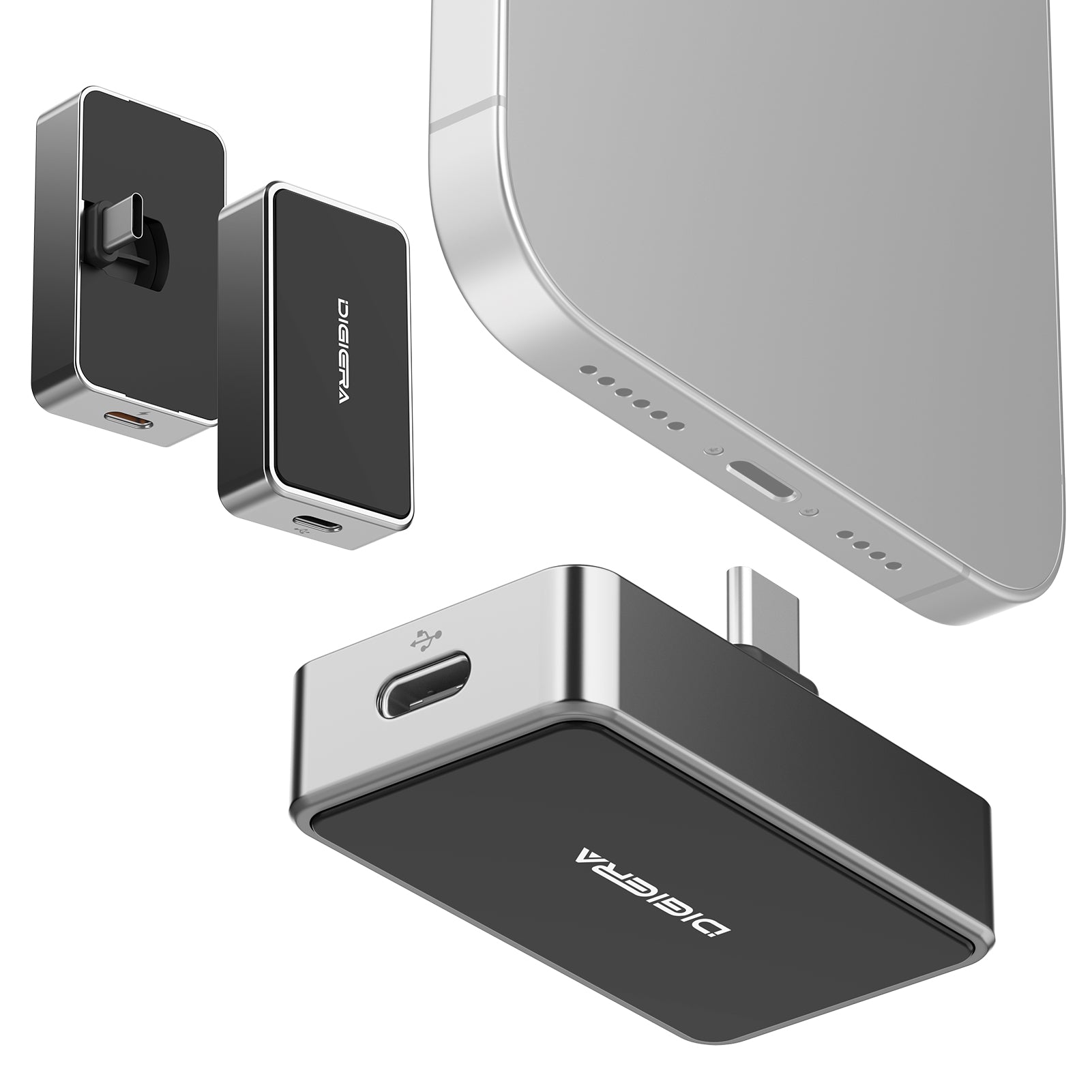
This is where a portable SSD with an integrated USB-C hub becomes especially valuable.
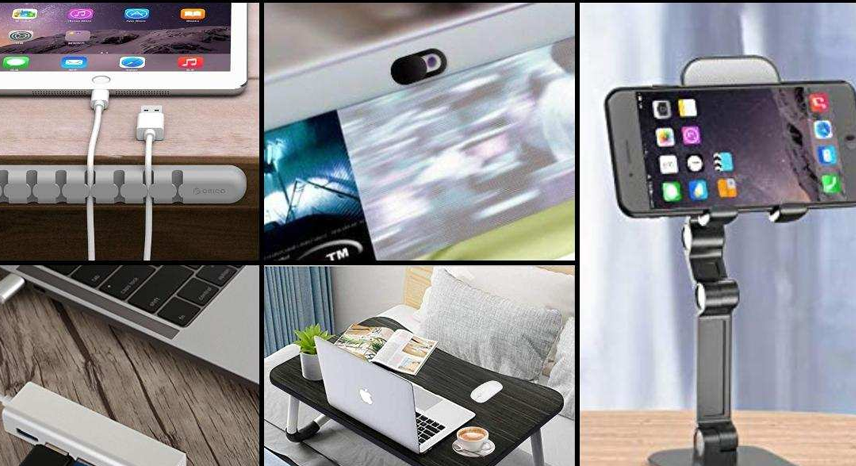
Instead of serving only as external storage, an SSD with a built-in hub expands your device's connectivity. Depending on your setup, it can simplify file transfers while reducing cable clutter and making it easier to connect additional peripherals.
This type of solution is ideal for:
- Creative professionals
- Business travelers
- Hybrid workers
- Video editors
- Graphic designers
- Digital marketers
- IT professionals
The Digiera Portable SSD USB-C for iPhone with Hub combines fast storage with expanded connectivity, making it an excellent option for users who frequently move between devices and need a more efficient workspace. Rather than carrying multiple accessories, professionals can rely on one compact device for both storage and connectivity.
Portable SSD Recommendations by Device
Choosing the right portable SSD also depends on the devices you use most often.
Best Portable SSD for iPhone
If your primary device is a USB-C iPhone, look for a drive that offers portability, reliable performance, and a design optimized for mobile use.
A MagSafe-compatible portable SSD is particularly useful for creators recording ProRes video, capturing long-form content, or editing on the go.
Recommended choice:
- Digiera Ultra-Thin MagSafe Portable SSD
Best Portable SSD for Mac
Mac users often work with creative software such as Final Cut Pro, Logic Pro, Adobe Photoshop, Lightroom, and DaVinci Resolve. These applications benefit from fast external storage that can handle large files without slowing down.
Recommended choice:
For professionals who also connect multiple accessories, the USB-C Hub SSD provides added flexibility.
Buy Now
Best Portable SSD for Windows PCs
Windows users need dependable storage for backups, gaming libraries, design projects, presentations, and business documents.
A portable SSD provides significantly faster transfer speeds than older external hard drives while remaining easy to carry between home and work.
Recommended choice:
Buy Now
Best Portable SSD for Multi-Device Workflows
If you regularly switch between iPhone, Mac, Windows, and tablets, convenience becomes just as important as speed.
A storage solution that also functions as a USB-C hub reduces the need for multiple adapters and creates a cleaner workflow.
Recommended choice:
- Digiera Portable SSD USB-C for iPhone with Hub
Buy Now
How Much Storage Do You Really Need?
Many buyers struggle to choose the right storage capacity. Buying too little can lead to running out of space quickly, while buying more than necessary may not be the best use of your budget.
Here is a general guide:
500GB
Suitable for:
- Office documents
- School assignments
- Basic photo storage
- Everyday backups
1TB
Ideal for:
- Students
- Families
- Freelancers
- Small creative projects
- Personal media collections
2TB
Best for:
- Professional photographers
- Content creators
- Video editors
- Business users
- Large software libraries
4TB and Above
Recommended for:
- Production studios
- Professional filmmakers
- Enterprise workflows
- Extensive RAW photo archives
- Large 4K and 8K video projects
Think about how your storage needs may grow over the next few years. Investing in additional capacity now can save you from upgrading sooner than expected.
Tips for Getting the Most from Your Portable SSD
Once you've chosen the right portable SSD, a few simple habits can help you maximize its performance and lifespan.
- Safely eject the drive before disconnecting it.
- Keep important files backed up in more than one location.
- Organize files into folders for easier access.
- Use high-quality USB-C cables to maintain optimal transfer speeds.
- Keep firmware updated if updates are available from the manufacturer.
- Avoid exposing the drive to extreme temperatures or moisture.
- Store the SSD in a protective case when traveling.
These practices help ensure reliable performance and protect your valuable data over time.
Common Portable SSD Buying Mistakes
Avoid these common mistakes when shopping for a portable SSD:
Buying Based Only on Price
A cheaper drive may not provide the speed, durability, or compatibility needed for your workflow.
Ignoring Device Compatibility
Always confirm that the SSD works with your operating system and supports the ports available on your devices.
Choosing Too Little Storage
High-resolution photos and videos consume storage quickly. Purchasing slightly more capacity than you currently need can be a smarter long-term investment.
Overlooking Connectivity
If you frequently connect multiple devices or accessories, a portable SSD with an integrated USB-C hub may provide far greater convenience than a standard drive.
Forgetting Future Needs
Your storage requirements are likely to increase as camera resolutions, file sizes, and software continue to evolve. Selecting a portable SSD that can accommodate future projects helps avoid frequent upgrades.
Why Digiera Portable SSDs Stand Out
Choosing a portable SSD isn't just about storage capacity—it's about finding a solution that complements the way you work.
Digiera offers a range of portable SSDs designed for different workflows:
The Digiera Portable SSD is an excellent everyday solution for backups, file transfers, creative work, and general storage.
The Digiera Ultra-Thin MagSafe Portable SSD is tailored for iPhone creators who want a sleek, magnetic storage solution for recording and managing high-resolution content.
The Digiera Portable SSD USB-C for iPhone with Hub combines high-speed storage with expanded connectivity, making it an ideal choice for professionals who work across multiple devices.
Whether you're storing family memories, editing professional video projects, or managing business files, there's a Digiera portable SSD designed to make your workflow faster and more efficient.
Final Thoughts
A portable SSD has become an essential tool for anyone who values speed, reliability, and flexibility. Whether you're using an iPhone, Mac, Windows PC, or a combination of devices, the right SSD can dramatically improve the way you store, transfer, and manage your files.
The best choice depends on your daily workflow. If you need dependable storage for everyday use, a standard portable SSD offers excellent value. Mobile creators recording high-resolution video will appreciate the convenience of a MagSafe-compatible SSD, while professionals juggling multiple devices can benefit from the added functionality of an SSD with an integrated USB-C hub.
By considering your devices, storage requirements, and future needs, you can confidently invest in a portable SSD that keeps up with your workflow today and supports your productivity for years to come.
Frequently Asked Questions
Is a portable SSD better than an external hard drive?
Yes. A portable SSD is generally faster, more durable, quieter, and more compact than a traditional external hard drive. It also offers better performance for transferring large files, editing media, and backing up important data.
Can I use one portable SSD with both Mac and Windows?
Many portable SSDs are compatible with both operating systems. You may need to format the drive appropriately depending on how you plan to use it across devices.
Can I use a portable SSD with my iPhone?
Yes. USB-C iPhones support compatible portable SSDs, making them ideal for storing files, transferring media, and recording Apple ProRes video directly to external storage.
What storage capacity is best for most users?
A 1TB portable SSD is a great choice for most users, offering enough space for documents, photos, videos, and everyday backups. Professionals working with large media files may benefit from 2TB or more.
Is a portable SSD worth buying for everyday use?
Absolutely. Even if you're not a content creator, a portable SSD provides fast, reliable storage for backups, personal files, work documents, and multimedia, making it a valuable long-term investment.